 TypeShade
Quick Start
Install
npm install https://github.com/typeshade/typeshade.gitnpm install --save-dev tsxThe Git dependency contains TypeScript source. tsx runs the compiler and CLI under Node.js.
Start with a TypeScript file whose first statement is "use typeshade". That directive crosses the boundary into the TypeShade shader language; the example below is a complete first shader, written with a class and stage-decorated functions.
"use typeshade";
class Clip {  @builtin("position") pos: vec4;}
class Color {  @location(0) color: vec4;}
@vertexexport function vs(@builtin("vertex_index") i: u32): Clip {  const x = i === 1 ? 0.8 : i === 2 ? 0. : -0.8;  const y = i === 2 ? 0.8 : -0.8;  return { pos: vec4(x, y, 0., 1.) };}
@fragmentexport function fs(): Color {  return { color: vec4(1., 0., 0., 1.) };}
Live example
sin turns the x coordinate into a wave, and time scrolls it. That is the whole file below, and it runs here: edit a line and the canvas follows on the next keystroke.
"use typeshade"
const TAU: f32 = 6.2831853
class Uniforms {  time: f32  bands: f32  low: vec3  high: vec3}
declare const u: uniform<Uniforms>
@fragmentexport function main(@location(0) uv: vec2): vec4 {  const phase = (uv.x * u.bands + u.time) * TAU  const wave = sin(phase) * 0.5 + 0.5  return vec4(mix(u.low, u.high, wave), 1.)}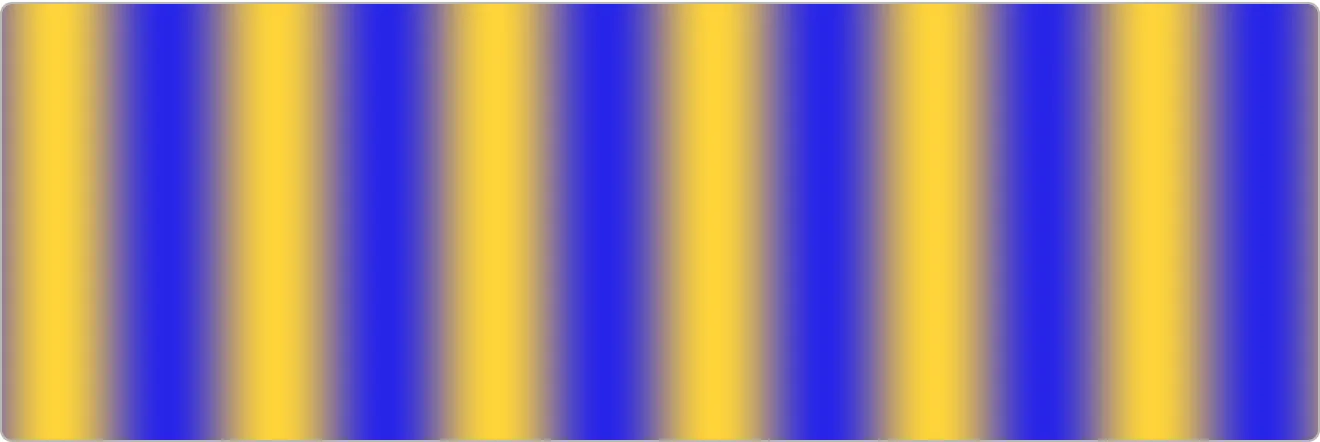
bands is how many times the wave repeats between the left edge and the right, and time slides the pattern along. Every column holds one colour, because only uv.x reaches phase.
Filled by the page every frame, with no control: time.
Try the following, with the controls or by editing a line:
- Drag
bandsto the bottom of its range for a single wave, then to the top and watch the crests narrow to lines. - Change
uv.xtouv.yon thephaseline. The stripes lie down, becauseuvruns up the canvas as well as across it. - Add
speed: f32toUniforms, then multiplyu.timebyu.speedon thephaseline. A slider namedspeedappears under the canvas, andstruct Uniformsunder Emitted output grows a field: the controls and the WGSL are both read from the module the compiler just built.
Emitted output
The whole module the compiler saw. The page added the vertex entry and the VsOut struct it returns; the rest is the file above.
const TAU: f32 = 6.2831853;
struct VsOut {  @builtin(position) pos: vec4<f32>,  @location(0) uv: vec2<f32>,}
struct Uniforms {  time: f32,  bands: f32,  low: vec3<f32>,  high: vec3<f32>,}
@group(0) @binding(0) var<uniform> u: Uniforms;
@vertexfn fullscreen(@builtin(vertex_index) i: u32) -> VsOut {  let x = select(-1.0, 3.0, (i == 1u));  let y = select(-1.0, 3.0, (i == 2u));  return VsOut(vec4<f32>(x, y, 0.0, 1.0), vec2<f32>(((x * 0.5) + 0.5), ((y * 0.5) + 0.5)));}
@fragmentfn main(@location(0) uv: vec2<f32>) -> @location(0) vec4<f32> { let phase = (((uv.x * u.bands) + u.time) * TAU); let wave = ((sin(phase) * 0.5) + 0.5); return vec4<f32>(mix(u.low, u.high, wave), 1.0);}#version 300 esprecision highp float;precision highp int;
const float TAU = 6.2831853;out vec2 uv;
void main() { uint i = uint(gl_VertexID); float x = ((i == 1u) ? 3.0 : -1.0); float y = ((i == 2u) ? 3.0 : -1.0); gl_Position = vec4(x, y, 0.0, 1.0); uv = vec2(((x * 0.5) + 0.5), ((y * 0.5) + 0.5));}#version 300 esprecision highp float;precision highp int;
const float TAU = 6.2831853;layout(std140) uniform Uniforms { float time; float bands; vec3 low; vec3 high;} u;in vec2 uv;layout(location = 0) out vec4 _ret;
void main() { float phase = (((uv.x * u.bands) + u.time) * TAU); float wave = ((sin(phase) * 0.5) + 0.5); _ret = vec4(mix(u.low, u.high, wave), 1.0);}| Field | Type | Offset |
|---|---|---|
time | f32 | 0 |
bands | f32 | 4 |
low | vec3<f32> | 16 |
high | vec3<f32> | 32 |
A host compiles a file with one call. Save the gradient pass below as gradient.shade.ts, 32 lines with a uniform block, a vertex stage and a fragment stage, and compile it from a host file of 6 lines that calls compile() and prints the WGSL:
"use typeshade";
class Uniforms {  top: vec4;  bottom: vec4;  mix_bias: f32;}
declare const u: uniform<Uniforms>;
class VsOut {  @builtin("position") pos: vec4;  @location(0) uv: vec2;}
@vertexexport function vs_full(@builtin("vertex_index") idx: u32): VsOut {  let pos = vec2(-1., -1.);  if (idx === 1) {    pos = vec2(3., -1.);  } else if (idx === 2) {    pos = vec2(-1., 3.);  }  return { pos: vec4(pos, 0., 1.), uv: vec2((pos.x + 1.) * 0.5, (pos.y + 1.) * 0.5) };}
@fragmentexport function fs_gradient(vo: VsOut): vec4 { const t = vo.uv.y + u.mix_bias; const rgb = mix(u.bottom.rgb, u.top.rgb, t); return vec4(rgb, f32(1.));}import { readFileSync } from 'node:fs'import { compile } from 'typeshade'
const { diagnostics, wgsl } = compile(readFileSync('gradient.shade.ts', 'utf8'))for (const d of diagnostics) console.error(`${d.line}:${d.character} ${d.message}`)console.log(wgsl)npx tsx compile.tsRunning it prints WGSL for both stages. Here is the fragment entry point:
@fragmentfn fs_gradient(vo: VsOut) -> @location(0) vec4<f32> { let t = (vo.uv.y + u.mix_bias); let rgb = mix(u.bottom.rgb, u.top.rgb, t); return vec4<f32>(rgb, 1.0);}The GLSL ES 3.00 stage for the same function, and the uniform layout reflect() recovers for it, are on the examples page. The language guide covers the rest of the surface.
The TypeShade / host boundary
TypeShade source is authored with TypeScript syntax, but a file marked with "use typeshade" follows the shader language rules. TypeScript types and syntax form the authoring surface; TypeShade GPU types, resources and shader-stage rules define the shader semantics.
"use typeshade"declares the language boundary.- GPU entry inputs are explicit parameters such as
@builtin(...), not hidden globals. - Resource types such as
uniform<T>andstorage<T>express GPU resource semantics.
Connect it to the host application
A host uses the file one of three ways. It compiles the file and passes the shader source to its own WebGPU or WebGL2 code, or it imports the file and calls what the file exports. An engine that draws its own frames loads the compiled program into the program runtime instead, the third way, which WebGPU and WebGL2 describes.
Compiling the file
This way works today. Compile the file, then let the host application pass the generated WGSL or GLSL ES 3.00 source to WebGPU or WebGL2.
const shaderCode = /* WGSL emitted from the TypeShade module */const shaderModule = device.createShaderModule({ code: shaderCode })
const pipeline = device.createComputePipeline({  layout: 'auto',  compute: {    module: shaderModule,    entryPoint: 'paint',  },})
TypeShade owns the language semantics and shader emission. The host owns runtime objects and their lifetimes, including the device, pipeline, bind groups, buffers, textures and command encoders.
Importing the file
The Vite plugin supports the Git-installed source package. A host file imports a .shade.ts and calls what it exports, and TypeShade's runtime creates the device and the pipelines those calls need. A helper runs on the CPU. A @compute entry is await entry(bindings, workgroups): it runs on WebGPU or WebGL2 where supported and reads back what it wrote. A full-screen @fragment entry draws into a canvas as entry(canvas, bindings), on WebGPU, then WebGL2, then the CPU.
After installation, add the Vite plugin and the host tsconfig.json settings below. The scripts run Vite and the installed CLI through tsx. The prepare script writes the host views that tsc reads. Add *.shade.typeshade.ts to .gitignore.
npm install --save-dev viteimport { defineConfig } from 'vite';import { typeshade } from 'typeshade/vite';
export default defineConfig({ plugins: [typeshade()] });{ "compilerOptions": { // ... "moduleSuffixes": [".typeshade", ""] }, "exclude": ["src/**/*.shade.ts"]}{ "scripts": { "dev": "tsx node_modules/vite/bin/vite.js", "build": "tsx node_modules/vite/bin/vite.js build", "prepare": "tsx node_modules/typeshade/src/cli/bin.ts sync" }}A host file then draws hello.shade.ts, the file at the top of this page, with one call. A vertex entry cannot be called from host code yet, so the view declares vs as never, and fs fills the whole canvas in red.
import { fs } from './hello.shade.ts';
const canvas = document.querySelector('canvas')!;fs(canvas, {});npm run devWebGPU and WebGL2 describes the ownership boundaries of the compiler, host calls and program runtime.
Status
The repository package is version 0.1.0. The 0.2.0 registry release is not published yet; npm can install the Git source now. The host imports typeshade from the installed package. Commit the lockfile to record the resolved Git revision. Releases lists published versions.
What to learn next
Now connect familiar TypeScript concepts to their TypeShade GPU meaning.
- Types: value shapes and GPU structs
- Functions: helpers and entry points
- Control flow: GPU execution
- GPU types: scalars, vectors, matrices and arrays
- Resources: uniform and storage
- Shader stages: compute, vertex and fragment
The VS Code extension shows diagnostics and the WGSL a file compiles to while you type.